Windows 10 & 11 (64-bit) Supported

Build Professional MSI Installers in Minutes

Create MSI, MSIX, and EXE packages with an intuitive visual interface. No coding required. Built on .NET 8.0 and WiX Toolset 4.x.

4
Project Types
6
Pro Themes
~50KB
Lightweight Stub
MSI Installer Studio
Windows 11 Fully Compatible
AES-256 Code Signing

Built on proven technology

.NET 8.0 WiX Toolset 4.x WPF AES-256

Everything You Need to Build
Professional MSI Installers

Powerful features designed to make MSI installer creation simple and efficient for developers of all skill levels.

Visual GUI Editor

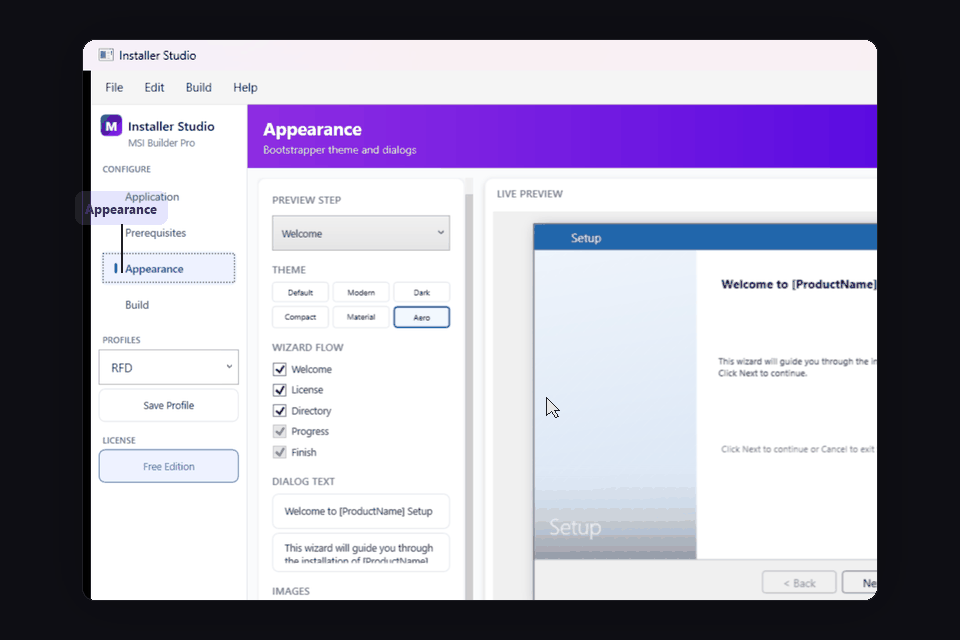
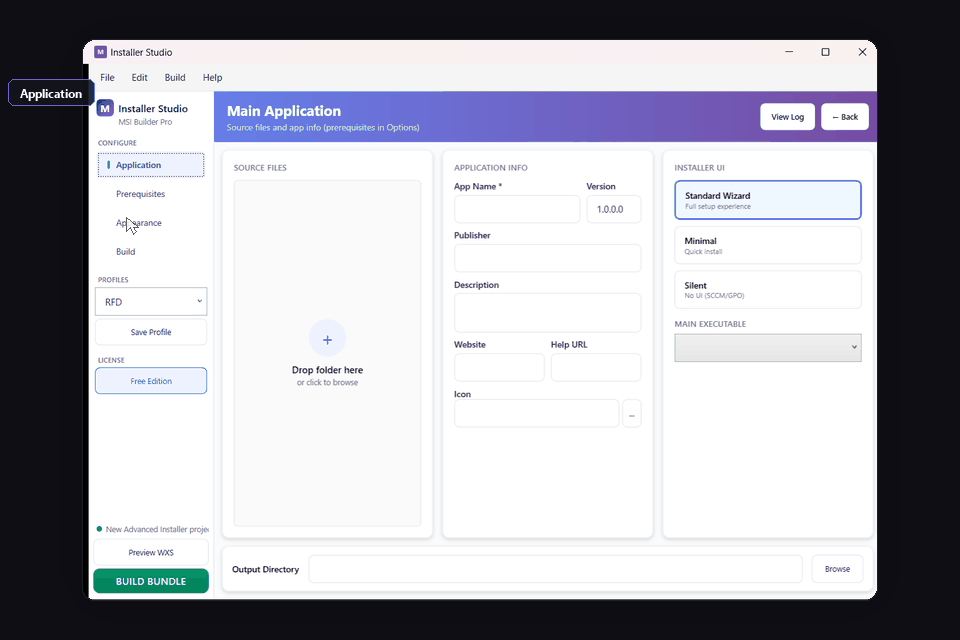
5-tab workspace with drag-and-drop file selection, live preview, and real-time theme customization. No WiX XML knowledge needed.

4 Project Types

Standard MSI, Lightweight (~50KB stub), Advanced Burn Bundles with prerequisites, and Wrapper MSI for repackaging.

Advanced Security

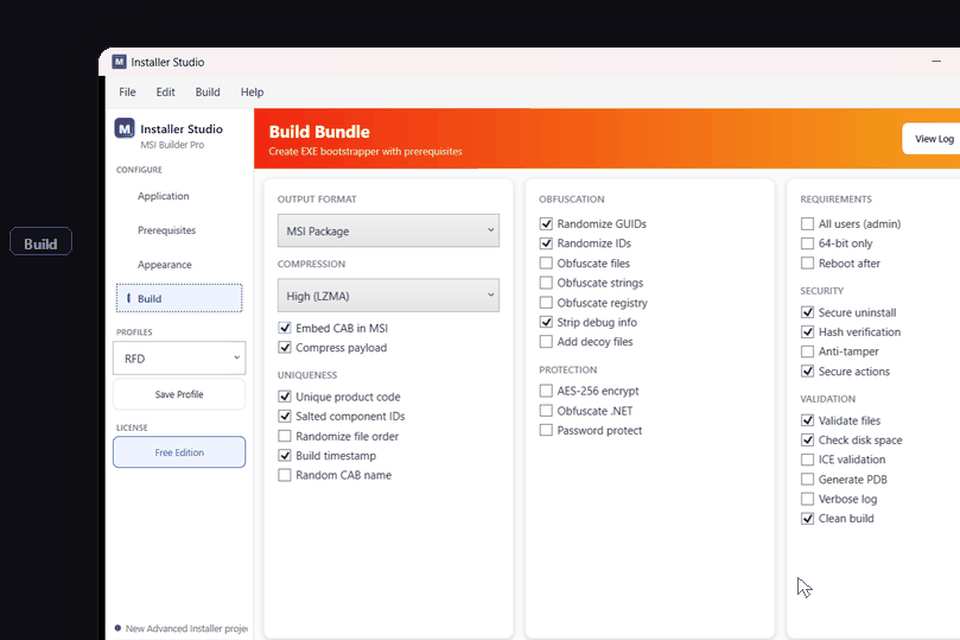
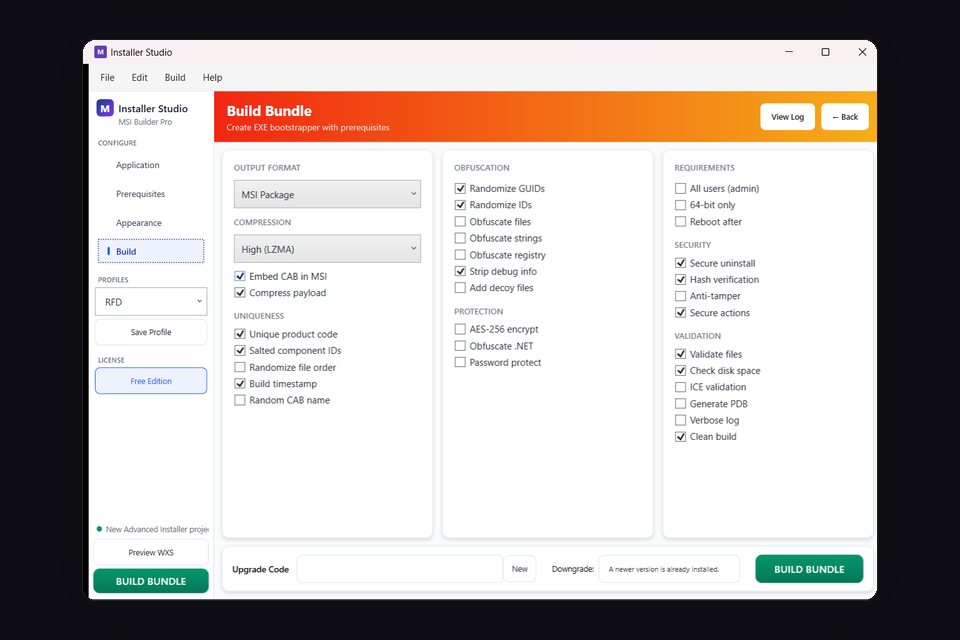
AES-256 encryption, assembly obfuscation (ConfuserEx), anti-tampering, anti-debug, code signing, and payload protection.

6 Professional Themes

Classic, Modern (Win 11), Dark, Compact, Material Design, and Aero themes with live preview and customization.

Enterprise Ready

Silent/minimal/standard UI modes for SCCM and Intune. Custom actions, registry integration, and prerequisite bundling.

Wrapper Repackaging

Embed existing EXE/MSI installers in MSI shell for enterprise deployment. Apply MST transforms and silent arguments.

Built for Developers,
Loved by Enterprises

MSI Installer combines powerful features with an intuitive interface, making it the preferred choice for Windows software deployment.

  • No Scripting Required

    Create complex MSI installers without writing a single line of WiX XML. Our visual editor handles everything.

  • Enterprise-Grade Security

    Built-in code signing, AES-256 encryption, checksum verification, and encrypted installer options.

  • Lightning Fast Builds

    Optimized build engine creates MSI installers in seconds, not minutes. Save time on every release.

  • CI/CD Ready

    Command-line build support for GitHub Actions, Azure DevOps, Jenkins, and other CI/CD pipelines.

Free vs Pro

Choose the right edition for your needs.

Free Edition

  • Visual MSI builder
  • File & folder management
  • Basic registry entries
  • Shortcut creation
  • Standard themes
  • MSI & EXE output
Download Free

Pro Edition

  • Everything in Free, plus:
  • Code signing integration
  • Custom actions (C#, VBS, PowerShell)
  • All 6 Pro themes
  • CI/CD command-line builds
  • Prerequisites & patch creation
View Pro Pricing

MSI Installer Pro Pricing

Choose your plan. Download the free version to get started, or unlock all Pro features.

3-Day Trial

Try all Pro features

$ 9.99
  • Full Pro access
  • All features unlocked
  • 3 days duration
Try Now

Monthly

Pay as you go

$ 49.99 /mo
  • All Pro features
  • Code signing
  • Priority support
Get Monthly

Annual

Save 67%

$ 199.99 /yr
  • All Pro features
  • Maximum savings
  • Priority support
Get Annual

What Developers Say About MSI Installer

See what our users have to say about their experience.

"MSI Installer has completely transformed our deployment workflow. What used to take hours now takes minutes. The visual editor is incredibly intuitive."

JD

James Davidson

Lead Developer, TechCorp

"The code signing integration alone is worth the price. We've reduced our release process from a full day to under an hour. Absolutely game-changing."

SM

Sarah Mitchell

DevOps Engineer, CloudSoft

"We switched from a competitor and never looked back. The MSIX support is excellent, and the auto-updater has been a game-changer for keeping users current."

MK

Michael Kim

CTO, StartupXYZ

Frequently Asked Questions

Is MSI Installer easier than WiX Toolset?

Yes! MSI Installer provides a visual builder so you don't need to write XML. It uses WiX Toolset 4.x under the hood but gives you a full GUI experience.

Can I automate builds with CI/CD?

Pro includes command-line build support for GitHub Actions, Azure DevOps, Jenkins, and other CI/CD pipelines.

Does it support code signing?

Pro includes built-in code signing integration. Sign your MSI installers with your certificate for trusted distribution.

Is there a free version?

Yes! Download the free version with core MSI building features. Pro unlocks code signing, MSIX output, CI/CD, all 6 themes, and more.

Ready to Build Better MSI Installers?

Download the free version or get Pro to unlock all features. Available on JRBUDDY.

The Complete Windows MSI Installer Solution

MSI Installation Package

Create professional MSI installation packages with our intuitive MSI packaging tool. Our Windows MSI installer supports silent MSI install and unattended MSI installation for enterprise deployment via SCCM and Intune.

EXE Installer for Windows

Build standalone EXE installers for Windows with custom branding. Our setup builder creates lightweight Windows EXE setup files compatible with Windows 10 and Windows 11 (64-bit).

MSIX Installer & Packaging

Create modern MSIX installer packages for Microsoft Store distribution. Our MSIX packaging tool handles the complexity of Windows MSIX package creation with full support for MSIX vs MSI conversion.

WiX Toolset Alternative

Looking for an easier alternative to WiX Toolset? MSI Installer provides the same powerful WiX 4.x engine without the XML complexity. Build MSI installers with WiX-level capabilities using our visual editor.

Silent & Unattended Install

Full support for silent MSI install and unattended MSI installation. Perfect for MSI deployment in enterprise environments with Group Policy, SCCM, Intune, and other deployment tools.

Lightweight & Fast

Our lightweight MSI installer creates optimized MSI setup files that install quickly. The ~50KB stub installer fetches payloads at runtime for bandwidth-sensitive deployments.

MSI vs EXE Installer - Which Should You Choose?

Whether you need a Microsoft MSI installer package for enterprise deployment or an EXE installer for consumer distribution, MSI Installer handles both. Create MSI packages for IT administrators or build EXE setup files for end users - all from one powerful Windows installer tool. Learn more at JRBUDDY.